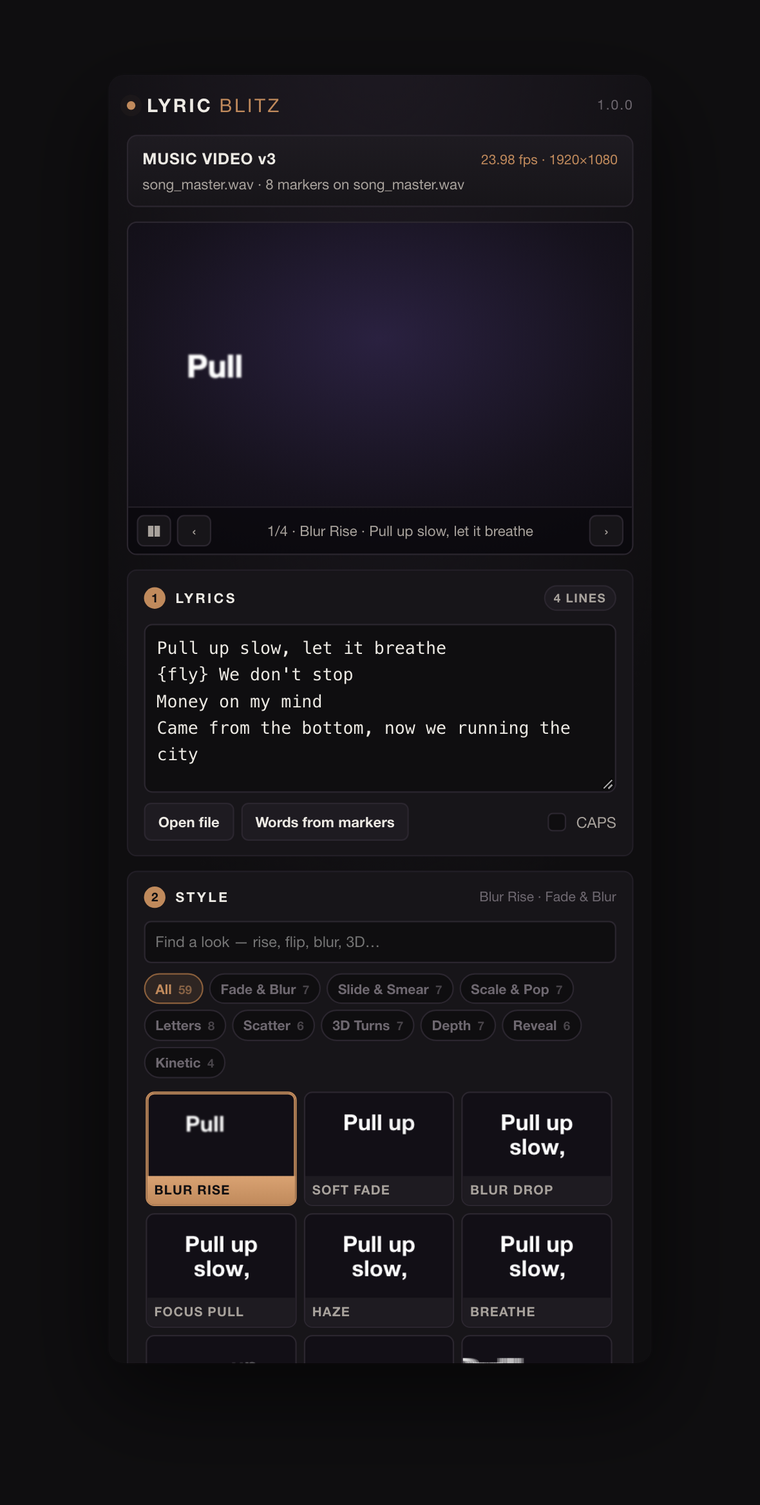
This is the panel
Not a screenshot. It's the actual panel, running the actual animation code, with a stand-in for After Effects behind it. The lyrics are already pasted — delete them and type your own, and every tile re-animates your words.
Type your own verse
The lyrics box is live. Paste a chorus into it and the strip at the bottom of the Timing card re-lays where every line lands, syllable by syllable, before anything is built.
Every tile is a live preview
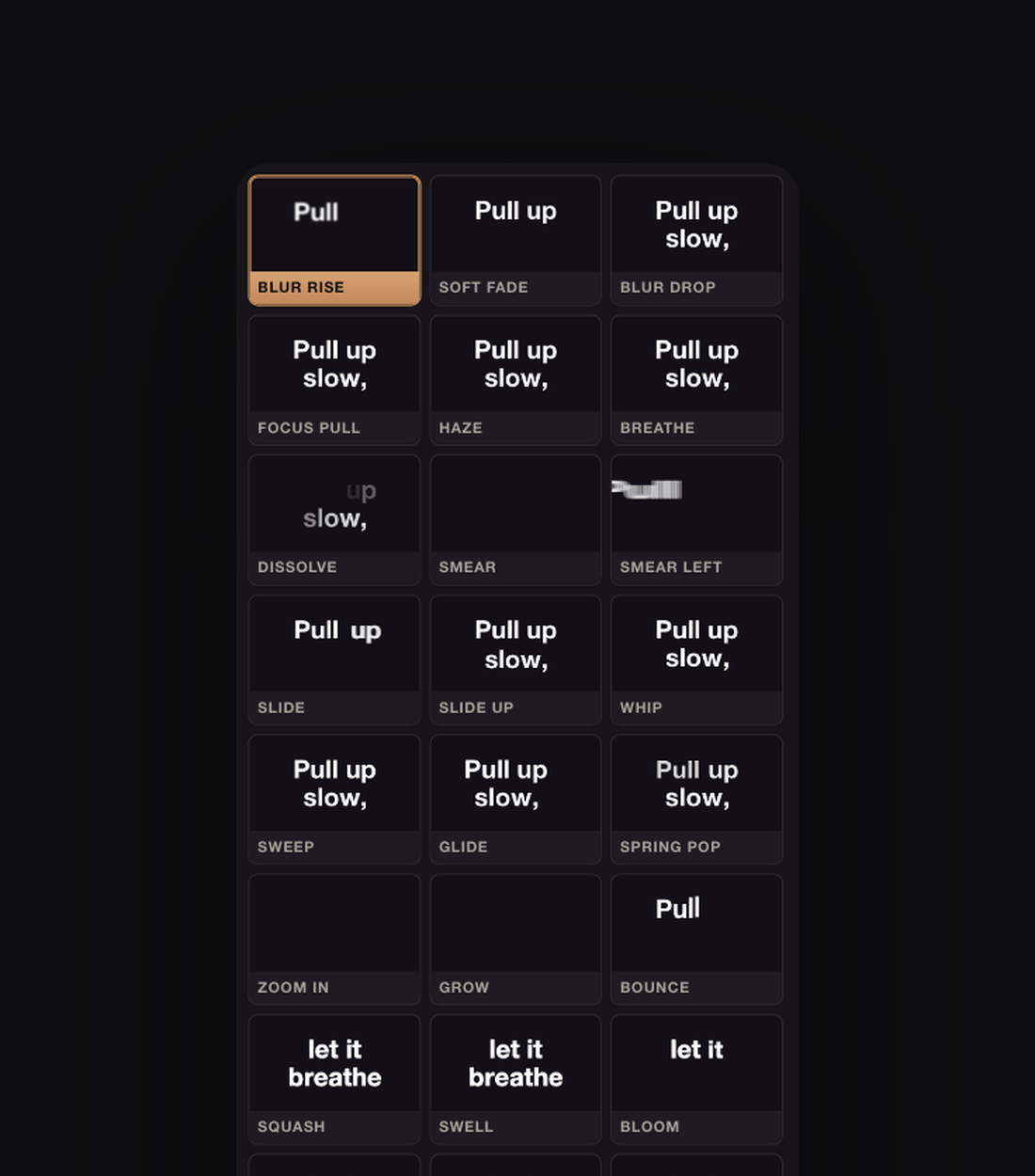
Those 59 tiles aren't GIFs. Each one is running the same expression maths After Effects runs, on your words, in the font and colours set in the Look card. Search them, filter by family, click one to make it the style.
The sliders move what you see
Drag Motion, Blur, Overshoot or Drift and the previews change as you drag — because in the comp those sliders are a controls layer every line reads, so the same drag re-steers a whole song after it's built.
What you're seeing here
The host is mocked, so Blitz it reports what it would build rather than building it, and the context strip up top is stand-in text. In After Effects the same button puts the layers in your comp.
Paste. Tap. Blitz.
Three minutes from a bare comp to a song on screen. The panel does the typing, the trimming and the animating; you do the part only you can do, which is knowing where the words land.
- Paste the lyrics — one line each. An
.lrcor.srtkeeps its own timing; LRC word stamps time every word. - Pick a look. Every tile in the grid is a live preview running your font and your colours, not a stock GIF.
- Tap the timing in. Select the song, play it, hit
*on the numpad as each line starts — or each word. No numpad? Type the BPM, or let it rough the lines in as markers and drag them onto the vocal. - Blitz it. One layer per line, one marker per word, trimmed to where it sings. One undo takes the lot back out.
Start any line with {fly} and that line alone gets the Fly In
look. Mix it up deals a different look to every line in the song.
59 looks, and none of them flash
Nine families — Fade & Blur, Slide & Smear, Scale & Pop, Letters, Scatter, 3D Turns, Depth, Reveal, Kinetic. Expo and spring eases, smears that stretch with the speed of the move, and a slow drift while a line holds so it never sits dead on screen.
Your colours never change. Nothing tints, strobes or glows: the text keeps the fill and stroke you gave it, and every look is judged on movement alone. That is also what makes them safe over footage you have already graded.
A marker on every word
The thing that makes lyric videos take an evening isn't the animation, it's the sync — and the fix, when a word is early, is usually to re-cut keyframes you already placed.
Here, every word gets a layer marker with the word written on it. Drag the marker, the animation follows. The expression selectors read the markers directly, so a syllable you pushed 4 frames late arrives 4 frames late and everything after it stays where it was.
Built to survive a camera track
Every bit of motion lives inside the text layer's own animators. The layer's transform is left completely alone, which is exactly the property a 3D camera track needs: parent it to a Track Null and the words ride the shot while the animation plays the way it always did.
- Tick 3D letters before you build, so flips and depth get real perspective.
- Track the shot the normal way — Effect → Perspective → 3D Camera Tracker, then right-click the point where the words should sit and Create Null and Camera.
- Select the lyric layers and that null, and press Attach to track.
The words land on the point, scaled to read the way they did flat. Tick "keep the words facing the camera" for floating text; leave it off to lay them on a wall or a bonnet. The null and the camera are never written to — your solve is your solve.
Still steering after the build
The build isn't the end of the conversation. Every line reads one LB Controls null, so nine sliders keep driving the whole song after the fact: In and Out frames, stagger, distance, blur, overshoot, drift, float, and a beat pulse that swells the words with the track.
Change your mind about the look instead? Restyle selected re-dresses layers in place — including text layers you made yourself — and leaves your own animators, expressions and dragged markers alone. Remove mine deletes only what the panel made.
Installing
One file, both platforms. A .zxp is not double-clickable —
Adobe retired Extension Manager and never replaced it — so grab the free
ZXP Installer,
drag LyricBlitz.zxp onto it, and restart After Effects. It lands
under Window → Extensions → Lyric Blitz.
It will warn about an unknown publisher on the way: that's a self-signed certificate, standard for independent panels, and the same identity that signs Stutter Machine and Box Cutter. On Windows, if the installer can't write the folder, run it as administrator.
Get a key
Free to try without a key, capped at the first six lines of a paste — a hook's worth, which is enough to hear the sync land and judge the looks on your own song. Every look, every control, the markers and the camera track are open in the trial. A key lifts the cap and builds whole songs.
Questions
- What does the free version do?
- Everything, capped at the first six lines of whatever you paste. All 59 looks, the word markers, the sliders, the restyle and the camera track are open — you just get a hook at a time until you put a key in.
- Do I have to tap the timing by hand?
- No. It reads LRC and SRT timestamps if you have them, it'll spread lines on a BPM grid from the playhead, or spread them across the work area. Tapping is simply the fastest way to make it feel human.
- A word lands late. Now what?
- Drag its marker. Each word has one, labelled with the word, and the animation reads the marker rather than a keyframe you'd have to re-cut.
- Will it work with a 3D camera track?
- That's what it's built for. The animation lives inside the text animators, so the layer transform stays free to parent to a Track Null. Select the lines and the null, press Attach, and nothing is ever written back to your null or camera.
- Can I use my own fonts?
- Yes. The menu lists what you have installed, and anything else goes in by its PostScript name. You can also lift the font, size and colours straight off a text layer you already made.
- Which versions?
- After Effects 2019 through 2026, macOS and Windows, Apple silicon or Intel. The same file installs on both.
- Does it need an internet connection?
- Once, to activate. After that it works offline — it checks in roughly monthly and keeps working for a fortnight if you're off the grid when it does.
- Will it wreck my project?
- One undo takes a whole build back out, and "Remove mine" deletes only the layers the panel made — your own text layers, your nulls and your camera are never touched.